A lot of AI agent setups lean on one guardrail: a paragraph in the instructions that says something like "be careful, never delete anything, ask before sending." That paragraph helps. The trouble is that the agent has to read it, remember it, and follow it every time. It can misread it, lose track of it halfway through a long task, or get talked out of it by a cleverly worded email it was asked to summarize.
This week a conversation on X made the difference concrete. Simon Willison (@simonw) shared a new approach to running AI coding agents safely:
I've been exploring new ways to sandbox code written by coding agents - here's a description of the external sandbox pattern, where agents run on your Mac but execute code in a WebAssembly or QEMU or Apple Container sandbox - with demos for Claude Code, Codex and Pi
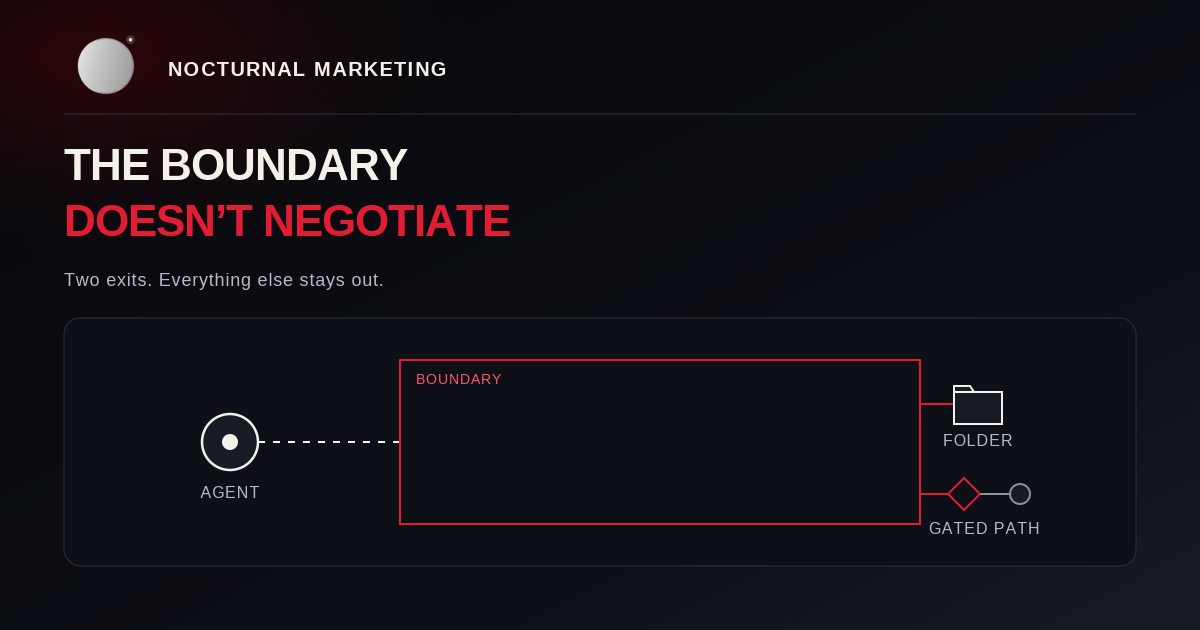
The pattern is built for developers, but the idea applies to any business letting an agent touch real systems like a CRM, inbox, or store. One reply summed it up well: "Safety you can enforce beats safety you have to ask the model for: the agent can be as creative as it wants, the boundary doesn't negotiate." (@dannythecount)
Here's how we think about turning that into guardrails that hold, in three layers. It's the same thinking behind our AI agent workflow repair work.
Layer 1: Boundaries the agent can't move
In the external sandbox pattern, described in detail in Simon's write-up on the Prime Radiant blog, the agent itself runs normally, but every command it executes is sent to a separate, locked-down Linux environment. That environment:
- only sees the folders you mount, and you choose whether each is read-only or read-write;
- has no network access by default, with an optional allow-list proxy that only reaches the hosts you approve;
- can add API keys to approved requests on the way out, so the secret never sits where the agent can see it.
That last point is worth slowing down on. Simon described it as "a credential replacement mechanism to make authenticated API calls without sharing a secret with the agent." (source) If the agent never holds the key, a confused or manipulated agent can't leak it or use it somewhere you didn't intend.
Why keep the agent outside the sandbox? The write-up explains that this "avoids weird behavior where the agent can modify itself or its direct environment, and keeps the sandbox boundary well defined and easier to audit."
What this looks like outside of coding
Plenty of small-business agents never run a shell command. They read emails, update a CRM, or draft quotes. The same questions still apply:
- What can it read? If it's answering support emails, does it need every customer's history, or just the person who wrote in?
- What can it change? Can it edit records, or only add notes for a person to act on?
- Where can it send things? Can it email anyone, or only reply in an existing thread?
- Whose credentials is it using? Does it log in as the owner, with the owner's full access, or as a limited account made for this one job?
A reply from @Hodor_AI gives a test you can run on any setup today: "can the agent reach a tool or credential that its current task doesn't need?" If the answer is yes, that's the first thing to fix. Limited accounts, read-only access, and scoped keys keep working whether or not the agent follows its instructions.
Layer 2: Approvals for what's left outside
No boundary covers everything, and the developers replying to Simon were quick to find the edges.
@infiloop2 pointed out that "a git push from a tool on the mac still uses the mac's credentials, even if the tests ran in a container. that's a good place to ask for approval." @sam_wise_ flagged a subtler gap: if the sandbox can write files like Git hooks or package scripts into a mounted folder, the next command you run on the Mac can execute that code outside the sandbox. The write-up itself is upfront that with Claude Code, only its Bash commands go to the sandbox, while its built-in Read and Edit tools still run on the host.
The business version: list every action the agent can take, and mark which ones happen with real authority. Sending an email to a customer. Issuing a refund. Changing a price. Marking an invoice paid. Those are the places to put a human approval, and each approval should cover that exact action and nothing that comes after it.
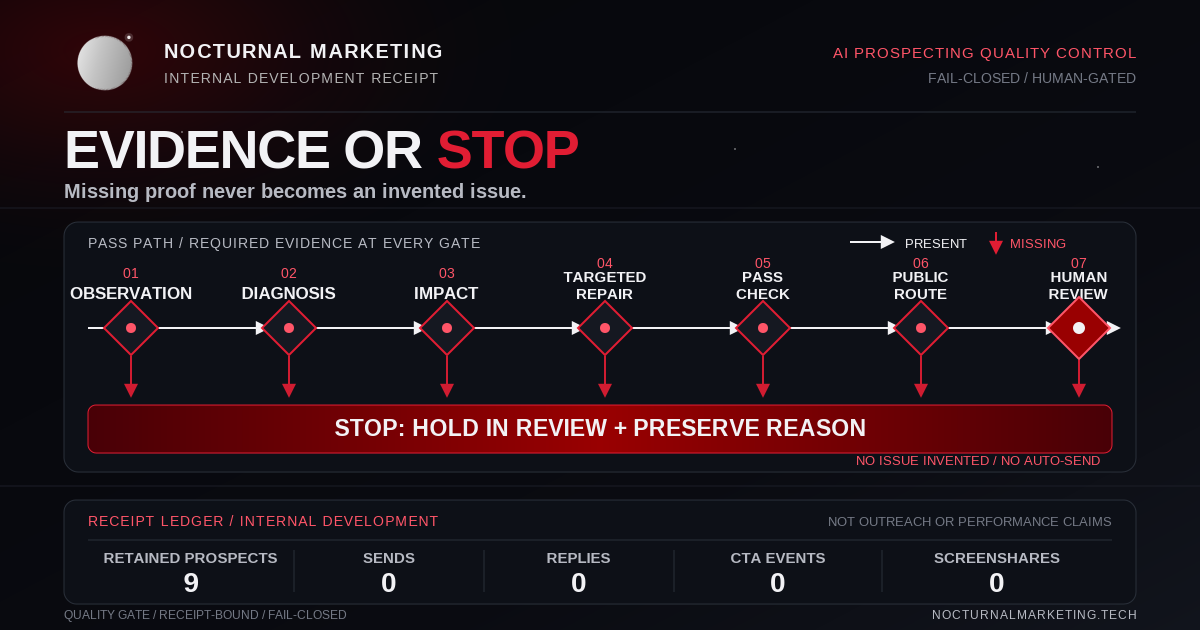
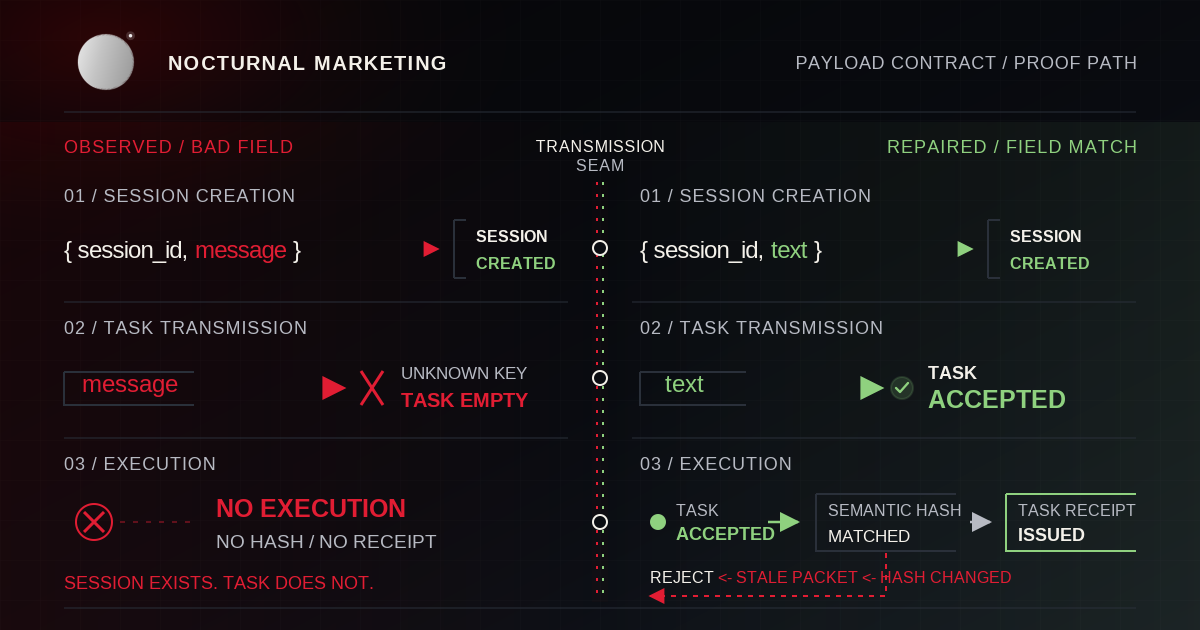
We have seen this on our own platform. In a demonstration we publish on our workflow repair page, run on our own system and labeled that way, an approval packet said "approve" even though both the recommendation and its reasoning said "reject." The format was valid, so it nearly went through. The fix was to make reject the default whenever the system recommends rejection, and to block approval unless a reviewer records a clear reason for overriding it. There's a fuller write-up in our approval workflow repair post.
Layer 3: Checks that turn mistakes into tests
Boundaries limit damage and approvals catch risky moments. The third layer stops the same mistake from happening twice.
@poteto shared a tool this week that gets at the same idea from another direction: a "/correct skill you can try that's a shortcut to make your agent reflect on its mistakes and then build the deterministic checks for you." (source)
"Deterministic" is the key word. It means a check that gives the same answer every time, like a rule in code. When an agent gets something wrong, this loop makes the fix stick:
Turn one mistake into a permanent check
Reproduce the failure
Find the missing check
Add the check as a rule
Rerun the same failure
Keep the test
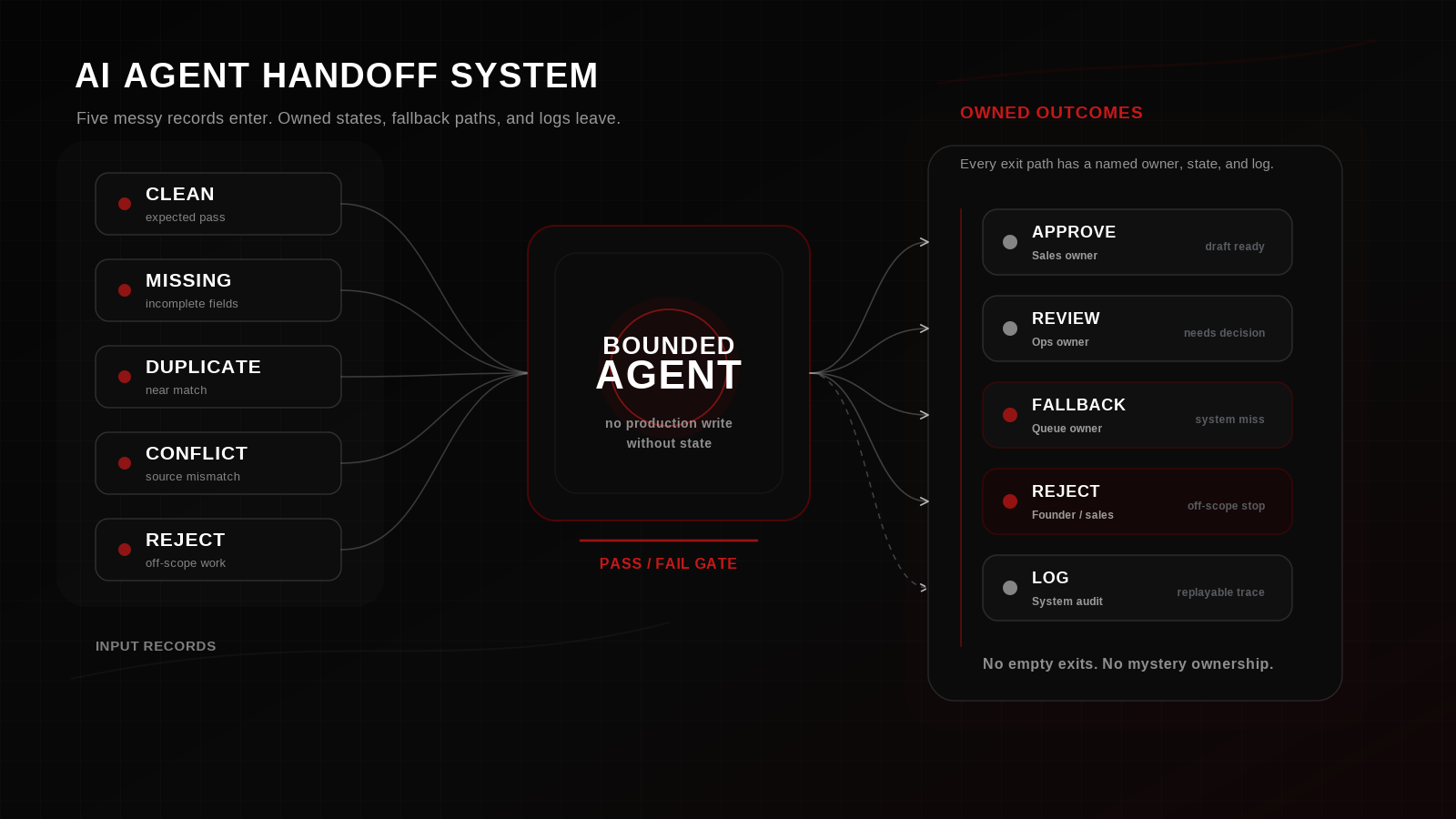
That's the loop we use in workflow repair, and it's why we test with at least three kinds of input before an agent gets any authority: one it should approve, one it should reject, and one simulated failure that should leave a readable record. Our five-record handoff test is a simple way to start that on your own.
A 30-minute audit for the agent you already run
If you already have an agent or automation running, try this:
- Write down every system it can read, every system it can change, and every place it can send something.
- For each one, ask whether this task actually needs it. Remove what it doesn't.
- Mark every action that spends money, changes customer data, or speaks for you in public. Put a human approval on each, tied to the specific action.
- Pick the last mistake it made. Could you rerun it today? If not, that's your first test to write.
AI agent guardrails FAQ
When an agent keeps getting it wrong
If you have an AI workflow that passes its own checks and still produces the wrong result, our AI agent workflow repair service is built for that. We reproduce one wrong outcome, fix the missing check, and rerun it, then hand you the approval rules and tests so you can rerun them yourself. Because every setup is different, it's priced after diagnosis.
Bring the workflow that keeps slipping
Tell us what it did wrong. You get a written scope and price, or a plain answer that it isn't a fit.
Show Us What's Broken