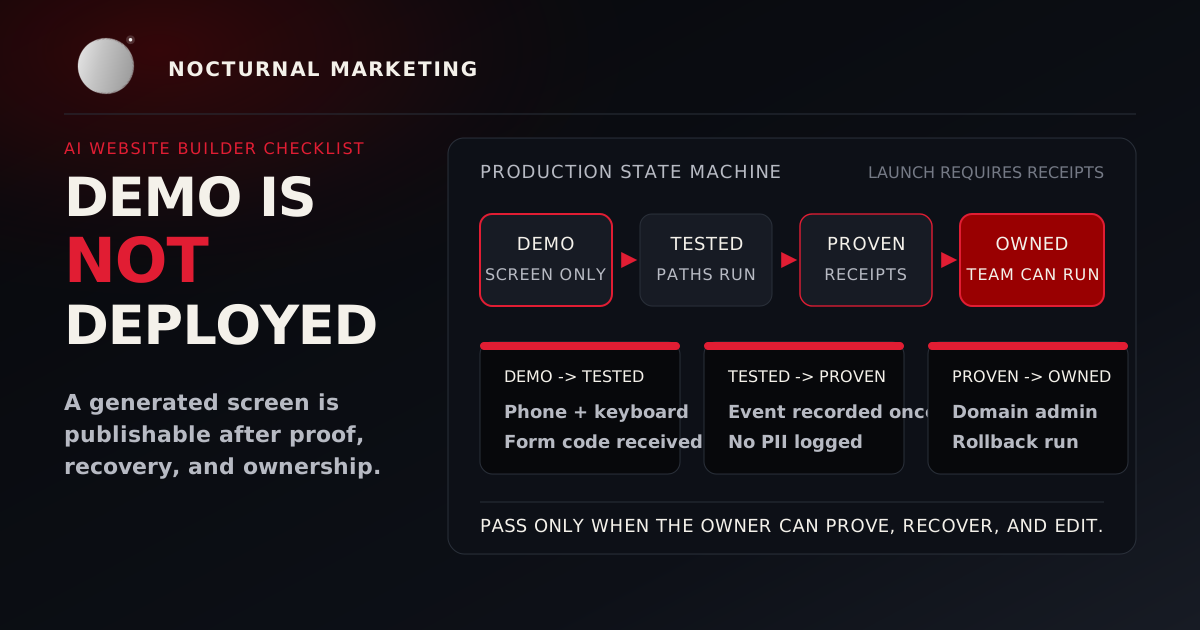
Use this AI website builder checklist before you publish any generated site: verify claims, account ownership, real content, accessibility, forms, security, privacy, SEO and sharing metadata, performance, monitoring, backups, and rollback. A beautiful generated page is ready only when those checks have receipts.
AI builders can produce a convincing interface in minutes. Production still belongs to the business. The owner needs evidence that the site is accurate, usable, secure, measurable, recoverable, and transferable.
A screenshot proves appearance. It does not prove that a lead reaches the owner, a keyboard user can complete the form, a staging noindex tag is gone, or a rollback path works.
1. Verify every business claim
AI-generated copy often sounds complete when the source material was incomplete.
Check every:
- service and feature;
- price and discount;
- address, phone number, and operating hour;
- credential, certification, and award;
- testimonial and case-study result;
- policy, guarantee, and response-time promise; and
- legal or compliance statement.
Delete invented specificity. "Fast support" is weak copy. A fabricated "two-hour response guarantee" creates liability.
Keep an approved fact sheet beside the prompt. The model can draft from it. The owner still signs off.
For broader AI visibility work, pair this check with our AI search guide for small businesses. Answer engines repeat public facts more confidently when the website is the clean source.
2. Confirm domain and account ownership
Record who controls:
- the domain registrar;
- DNS;
- hosting or builder account;
- source repository or export package;
- deployment account;
- analytics and search tools;
- email delivery; and
- billing.
Use business-owned accounts with multi-factor authentication. A contractor's personal login leaves the business exposed at launch.
The handoff should include recovery email addresses, billing owners, admin roles, backup locations, and the process for removing a former vendor's access.
3. Test real content at real screen sizes
Generated layouts often look excellent with short placeholder text and break with actual names, errors, translated strings, long service descriptions, or mobile keyboards.
Test narrow, medium, and wide widths. Look for:
- clipped text;
- overlapping buttons;
- unreadable navigation;
- content that disappears;
- fixed elements covering form fields;
- horizontal scrolling;
- modals that trap the visitor; and
- tap targets that are difficult to use.
Zoom the page to 200%. WCAG 2.2 includes a Resize Text requirement for text to scale up to 200% without loss of content or functionality, and its Reflow criterion addresses avoiding two-dimensional scrolling for ordinary page content.
4. Perform an accessibility pass
WCAG 2.2 organizes accessibility around content that is perceivable, operable, understandable, and robust. Those words translate into launch checks a business owner can understand.
At minimum:
- navigate every interactive element with a keyboard;
- keep a visible focus indicator;
- connect form labels and errors to their fields;
- use headings in a meaningful order;
- provide useful alternatives for informative images;
- avoid color-only meaning;
- check text and non-text contrast; and
- run a screen-reader spot check through the primary path.
Automated tools catch some failures. Human interaction catches the obvious failures automation misses. A broad compliance claim requires a real evaluation, documented scope, and known exceptions.
5. Trace every form from click to owner
A success animation proves only that an animation ran.
Submit each form with:
- valid data;
- missing required data;
- an invalid email or phone format;
- a long message;
- duplicate submission; and
- a simulated delivery failure.
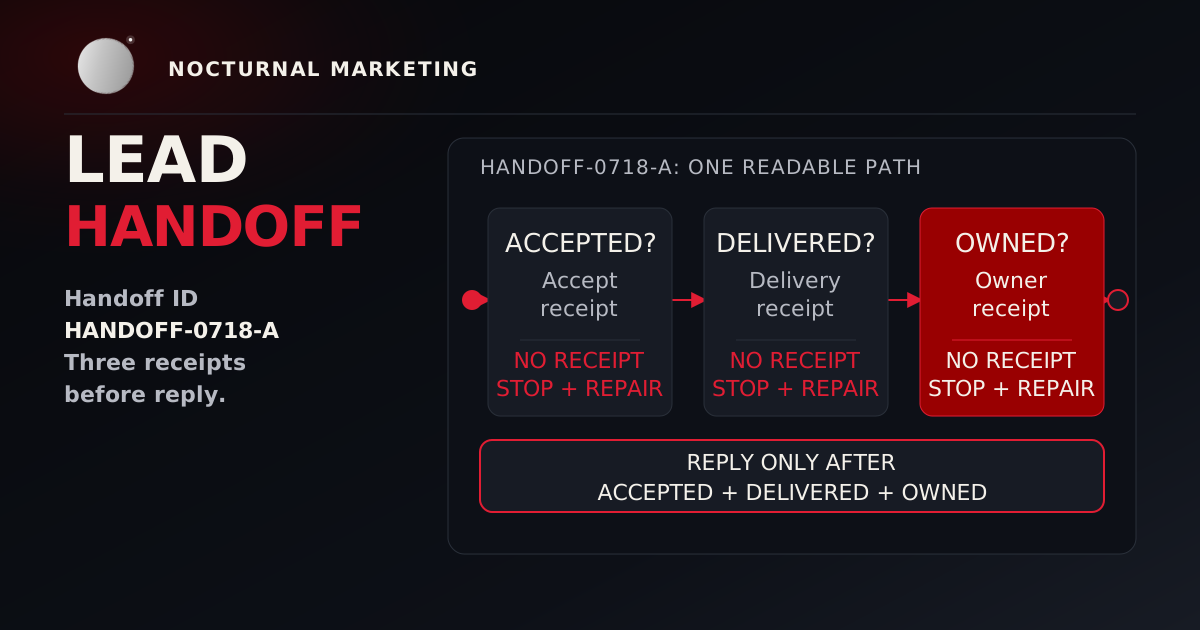
Verify that the request reaches the server, receives server-side validation, is stored or delivered once, alerts the correct owner, and produces a truthful confirmation. Confirm that logs and analytics exclude sensitive form values.
If lead delivery is the riskiest part of the site, run the detailed website lead handoff test before buying more traffic.
6. Check security controls before security copy
OWASP's Application Security Verification Standard gives teams a vendor-neutral way to discuss web-application security controls. OWASP lists ASVS 5.0.0, dated May 2025, as the latest stable version.
For a simple marketing site, verify at least:
- secrets are absent from browser code and source control;
- untrusted input receives server-side validation;
- database operations are parameterized;
- administrative routes require authorization;
- sessions and cookies use appropriate protections;
- dependencies are inventoried and updated;
- uploads, if any, restrict type, size, and destination;
- rate limits and abuse controls protect public endpoints; and
- error responses avoid internal details.
The builder may hide implementation details. Hidden details still need evidence. Ask for the control, the verification method, and the owner who can repeat the check after a future edit.
7. Protect privacy and consent
Inventory every piece of personal data the site collects and every outside service that receives it.
Confirm:
- the form collects only data the workflow needs;
- consent language matches actual behavior;
- analytics and advertising tags follow applicable requirements;
- retention and deletion have an owner;
- sensitive data is protected in transit and at rest; and
- the privacy notice reflects the deployed site.
Legal requirements depend on location and business context. A generated policy is a draft for review, never legal advice.
8. Preserve search and sharing details
Google's guidance for generative AI search keeps the foundation familiar: helpful content, crawlable pages, semantic structure where practical, strong page experience, and accurate business data. The same work helps customers and answer engines understand the page.
For every indexable page, verify:
- a descriptive title and meta description;
- one clear primary heading;
- a canonical URL;
- crawl and index settings;
- meaningful internal links;
- social-sharing title, description, and image;
- a sitemap and useful error page; and
- relevant redirects from replaced URLs.
Do not allow staging blocks, placeholder canonical domains, or noindex tags to reach production. Google documents noindex through robots meta tags or X-Robots-Tag headers, so check both the page HTML and response headers when launch is close.
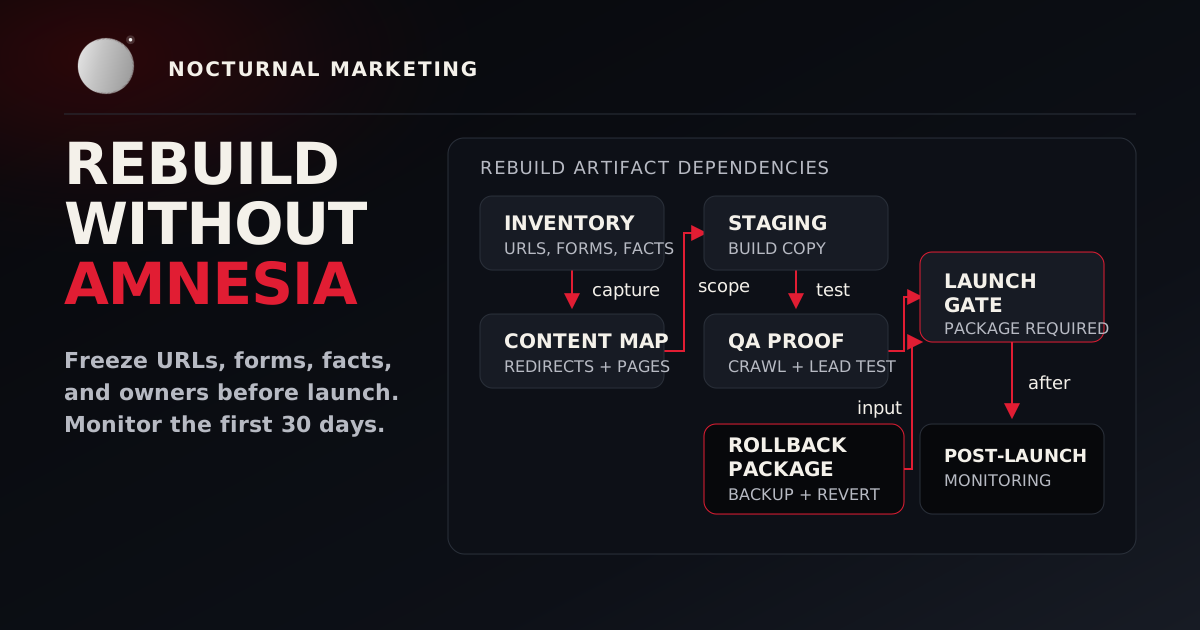
If the project is part of a wider rebuild, use the small-business website rebuild checklist for URL inventory, redirect proof, and first-30-day monitoring.
9. Measure speed with the deployed site
Generated sites frequently include oversized images, unnecessary scripts, duplicate libraries, and animation that competes with the customer path.
Test the deployed build on mobile and desktop. Google's Web Vitals guidance names the current Core Web Vitals as Largest Contentful Paint, Interaction to Next Paint, and Cumulative Layout Shift, with recommended thresholds of LCP within 2.5 seconds, INP of 200 milliseconds or less, and CLS of 0.1 or less at the 75th percentile.
Use those numbers as a floor. Also test the actual path: load the page, open the menu, submit the form, see the error state, and interact with late-loading components. A perfect lab screenshot has little value if the form becomes sluggish when the script stack finishes loading.
10. Prove monitoring, backup, and rollback
Before launch, answer:
- How will we know the site is unavailable?
- How will we know a form or integration failed?
- Where are errors recorded?
- Who receives alerts?
- What is backed up?
- Has a restore been tested?
- Can the prior release be restored quickly?
- Who decides to roll back?
A backup earns trust when someone restores it. A rollback earns trust when the next owner can run it without searching an old chat thread.
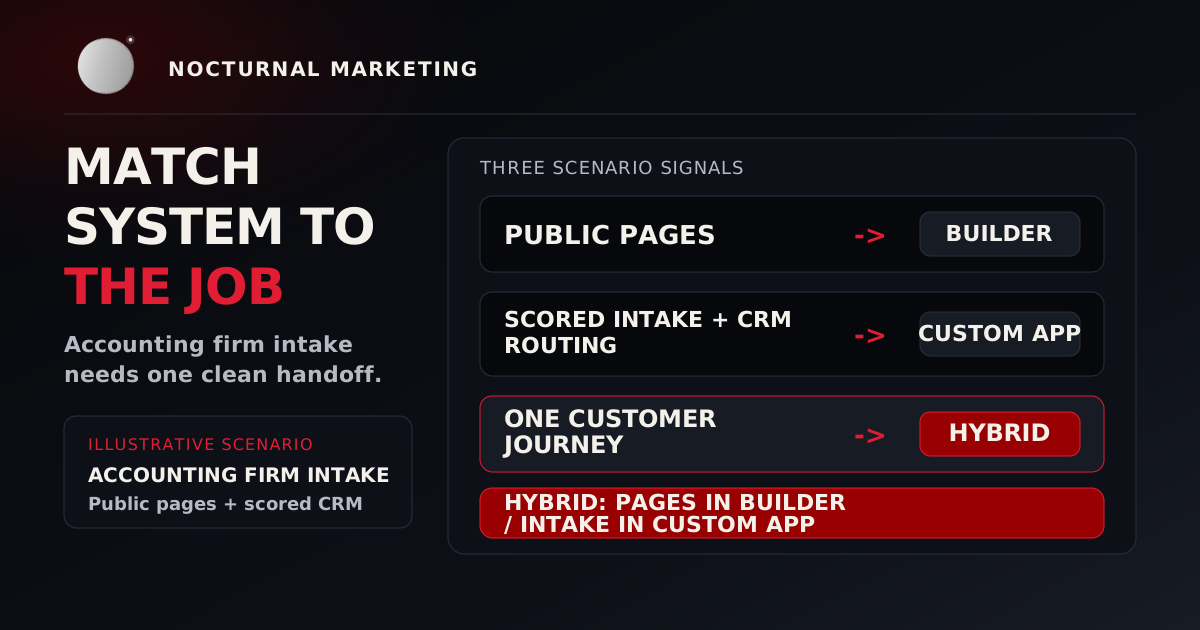
If this review exposes that the site has become more like a custom workflow than a simple brochure, compare the architecture against our website builder vs custom development guide.
The seven-minute prelaunch test
Use this compressed AI website builder checklist when time is short. It does not replace the full review. It catches the failures most likely to embarrass the business in public.
Seven-minute prelaunch test
Open the site on a phone
Find the main service
Navigate with a keyboard
Submit the primary form
Confirm owner receipt
Confirm measurement
Ask for rollback
Any failure becomes a launch blocker or a documented exception. Silence never counts as acceptance.
Frequently asked questions
AI website builder checklist FAQ
Need the production path instead of another round of prompts? Our web design projects are built and tested against written acceptance criteria before launch, and the starting prices are on our pricing page.
Sources
- W3C: Web Content Accessibility Guidelines 2.2 for accessibility principles, Resize Text, and Reflow criteria.
- OWASP: Application Security Verification Standard for vendor-neutral web-application security control requirements and the latest stable ASVS 5.0.0 note.
- Google Search Central: Optimizing for generative AI search for Google's guidance that core SEO, helpful content, crawlability, semantic structure, and page experience still matter for AI experiences.
- Google Search Central: Block Search indexing with noindex for
noindexhandling through robots meta tags andX-Robots-Tagheaders. - web.dev: Web Vitals for Core Web Vitals metrics and recommended thresholds.
Turn the generated site into an owned system
Nocturnal Marketing knows AI well enough to test what it produces. We diagnose the weak link, build the missing control, prove the customer path, and transfer a site your team can operate.
Audit the Prototype