A small business website rebuild checklist should protect six things before design changes ship: current search visibility, every valuable URL, lead capture, accessibility, analytics, and named ownership after launch.
Most rebuild trouble begins before design. A team starts with colors and components before it records the pages, leads, integrations, rankings, business facts, analytics, and responsibilities the current site already carries. The new site may look cleaner while the business quietly loses its memory.
Use this checklist to make the rebuild inspectable from the first decision through the first 30 days after launch.
Last reviewed: July 18, 2026. Search, accessibility, and platform guidance can change. The source notes below link to official guidance used for this update.
What this checklist is for
This checklist is for an owner, operator, marketer, or technical partner who needs the new website to keep working after it looks better.
It is especially useful when a small business is:
- moving from one platform to another;
- redesigning a high-value service site;
- replacing an old WordPress, Wix, Squarespace, Shopify, Webflow, or custom build;
- cleaning up years of patched pages;
- adding CRM, booking, ecommerce, or AI-assisted workflows; or
- trying to protect search visibility during a rebuild.
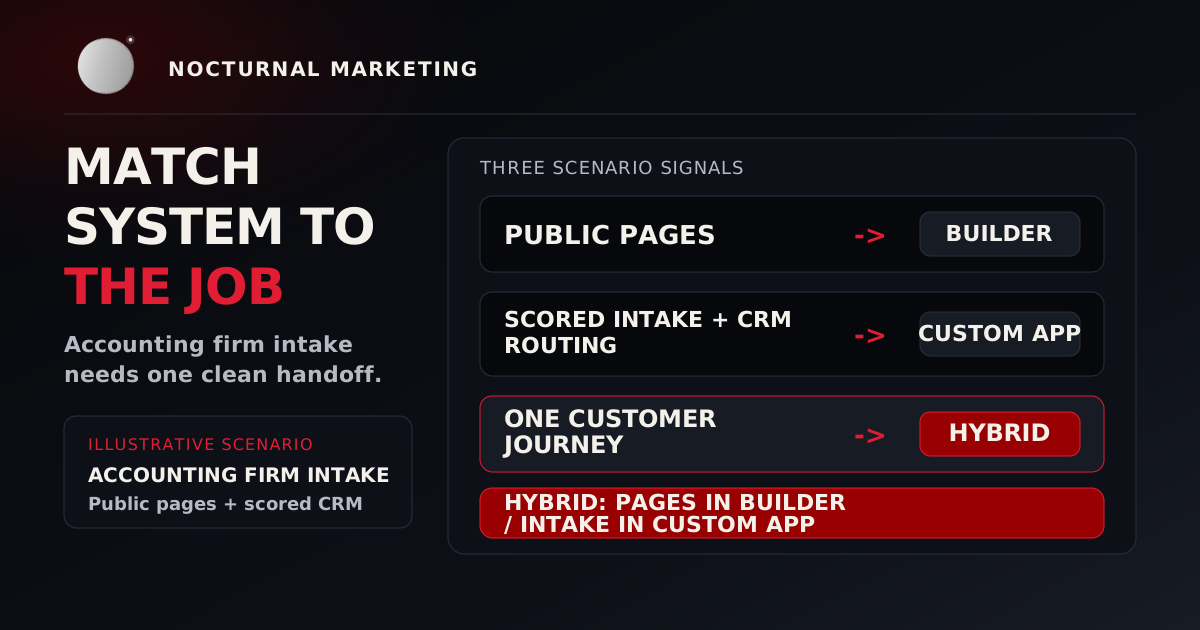
If the platform choice is still open, compare the rebuild with the website builder vs custom development decision guide before funding a full replacement.
Phase 1 Decide whether to rebuild
Do not rebuild because the site feels old. Name the business constraint.
A rebuild may be justified when:
- staff cannot update essential content safely;
- the site cannot support a required integration or workflow;
- mobile usability or accessibility is structurally poor;
- lead attribution and form delivery cannot be trusted;
- the information architecture no longer matches the business;
- security updates are blocked by an abandoned platform;
- the site cannot expose accurate business facts for search and AI answers; or
- the cost of repeated patches now exceeds replacement.
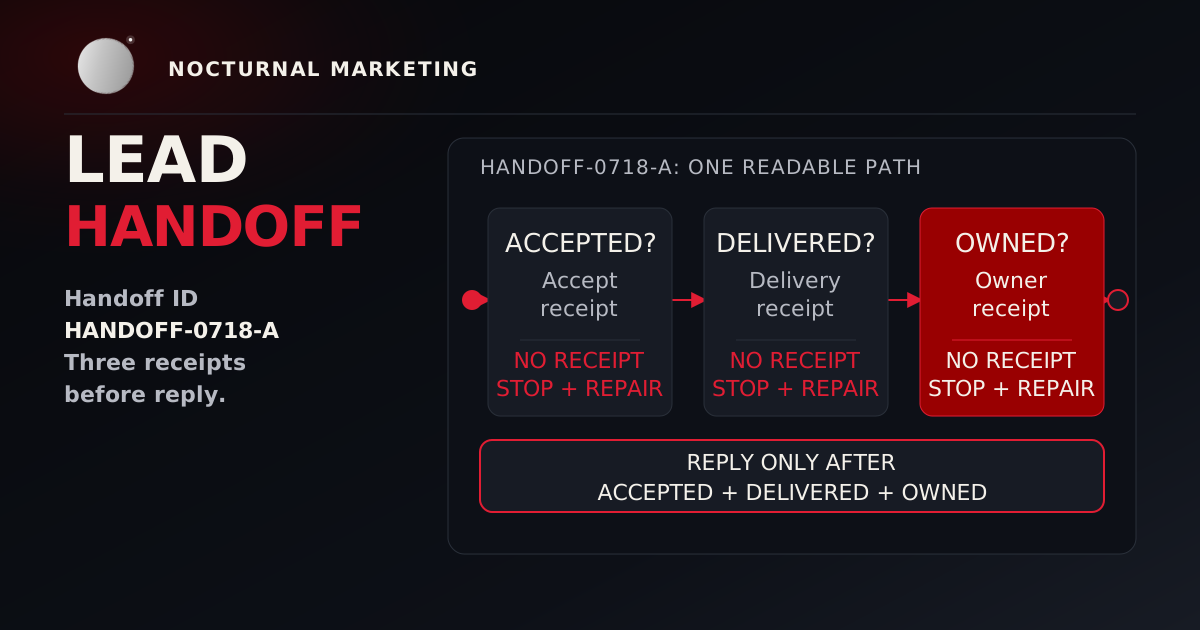
A focused repair may be better when the problem is one form, one slow template, one broken integration, or unclear copy on a few high-value pages. If leads are the visible failure, run the lead-handoff test before approving a full rebuild.
Write one sentence before continuing:
This rebuild succeeds when ______ changes from ______ to ______, and we can prove it with ______.
That sentence keeps the project from becoming an expensive mood board.
When the answer is a rebuild, price it against real numbers. Our web design projects start with a written scope and are tested against written acceptance criteria before launch, and the starting prices are on our pricing page.
Phase 2 Capture the current baseline
Before changing the site, record:
- every indexable URL;
- organic landing pages and search queries;
- top referral sources;
- calls, forms, purchases, bookings, downloads, and other qualified actions;
- current conversion events and whether they fire correctly;
- integrations, recipients, webhooks, and credential owners;
- site speed and real-user experience where available;
- accessibility issues found by automated and manual checks;
- current titles, descriptions, canonical tags, structured data, and sharing images;
- Google Business Profile, directory, social, and marketplace facts that need to match the site;
- legal, privacy, and consent requirements; and
- the person who owns each business-critical path.
Export the data. Screenshots help during review, but machine-readable inventories make redirects, comparison, and rollback possible.
Phase 3 Build the URL and content map
Classify each existing page as keep, improve, combine, redirect, or remove.
Use evidence instead of page age alone:
- Does the page attract qualified visits?
- Does it answer a real sales or support question?
- Does another page already do the same job better?
- Is the information still accurate?
- Does another page or external site link to it?
- Does it contain proof, terminology, history, or a local ranking signal worth preserving?
- Does an AI-search answer or directory profile currently reference the page or its facts?
If a page is removed, decide whether it has a true replacement. Redirecting every deleted URL to the home page confuses people and weakens the signal Google needs to understand the move.
Google's site-move documentation advises preparing a URL mapping, testing the new site thoroughly, using server redirects from old URLs to new URLs, monitoring old and new traffic, and changing one major thing at a time when possible. That guidance matters even when the domain stays the same because URL, content, platform, and layout changes can each create a separate failure path.
Phase 4 Redesign the customer paths
Map the shortest useful path for each primary visitor:
- What brought them here?
- What must they understand?
- What concern will stop them?
- What proof reduces that concern?
- What action should they take?
- What happens after the action?
The sixth question is often missing. A form confirmation is incomplete if the message never reaches an owner.
Create pass/fail scenarios such as:
- A mobile visitor can identify the service and request contact without zooming.
- A keyboard user can complete and correct the form.
- The business receives one traceable lead with the right source information.
- The visitor receives a truthful confirmation.
- A staff member knows who responds and by when.
Phase 5 Lock requirements before components
Define requirements in five groups.
Content
Approved business facts, service pages, proof, author information, editorial owners, review dates, image alternatives, and pages that need to answer specific search questions.
Functional
Forms, search, accounts, payments, scheduling, CRM, email, analytics, redirects, administrative workflows, confirmation messages, and failure handling.
Quality
Responsive behavior, browser support, performance budgets, accessibility acceptance criteria, content fallbacks, sharing previews, and empty states.
Security and privacy
Data classification, retention, consent, access control, secret storage, dependency updates, backups, rate limits, and incident ownership.
Operations
Deployment, monitoring, alert routing, rollback, documentation, staff editing rights, renewal ownership, and who can change production.
A visual design can now serve the system instead of hiding missing decisions.
Phase 6 Protect SEO and answer-engine visibility
A rebuild changes the source that search engines, AI-search products, directories, and customers use to understand the business. Treat that source as an asset.
Before launch, verify:
- the primary service pages still answer the questions buyers search;
- the most valuable pages keep or improve their topic coverage;
- page titles and descriptions are unique and truthful;
- headings describe the page rather than decorate it;
- internal links point readers to the next useful decision;
- canonical URLs, sitemap entries, and redirects agree;
- structured data matches visible content;
- business name, service area, hours, contact details, and offers match official profiles; and
- social previews use the approved title, description, and image.
Google's guidance for generative AI features says the existing SEO foundation still matters. It also tells site owners to write for human readers, organize pages with clear paragraphs, sections, and headings, and use semantic HTML where possible because it helps people and assistive technology parse the page.
For a broader audit, use the companion AI-search website guide for small businesses. This rebuild checklist focuses on protecting that visibility while the site is being replaced.
Phase 7 Test the build as a system
Test more than page appearance.
Content tests
- Correct names, prices, locations, hours, policies, and service scope
- No placeholder copy or invented proof
- Unique titles and useful descriptions
- Clear headings and descriptive links
- Correct image alternatives and social preview text
Customer-path tests
- Primary calls to action work on phone and desktop
- Forms validate, submit, deliver, log, and confirm
- Error states explain what the visitor should do next
- Authentication, payments, and bookings handle cancellation
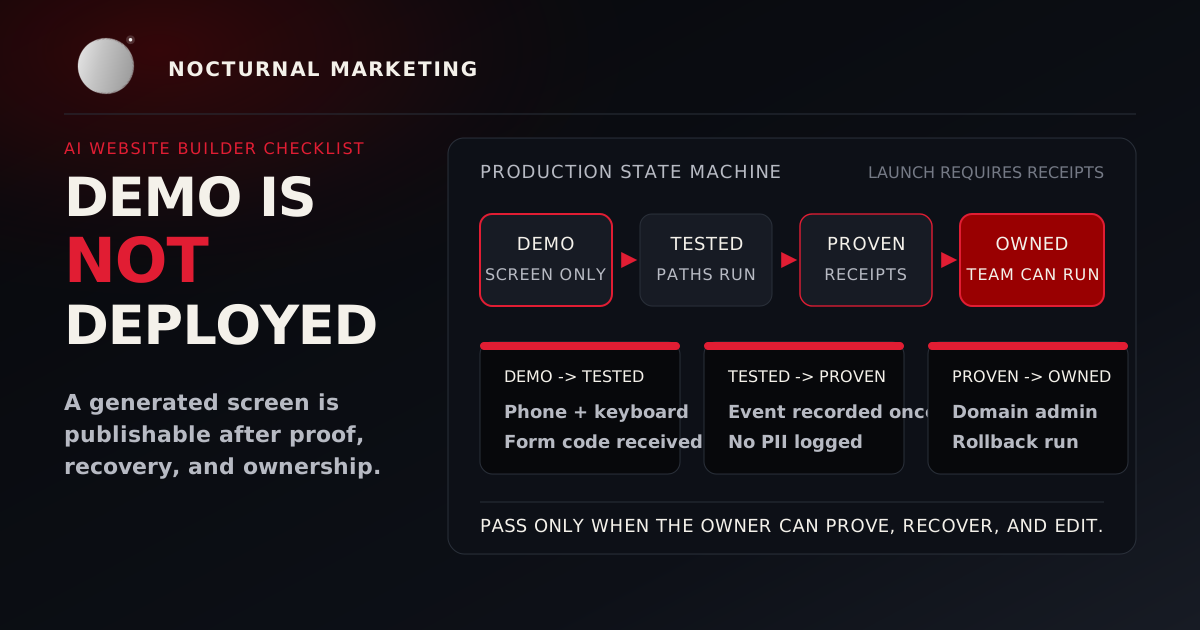
- Analytics records the intended event once
Accessibility tests
Use automated tools, keyboard-only navigation, 200% zoom, contrast review, screen-reader spot checks, and real content.
W3C states that WCAG 2.2 success criteria are testable and designed for a combination of automated testing and human evaluation. W3C's evaluation-tool guidance also says tools cannot check every accessibility aspect automatically and human judgment is required.
Operational tests
- Restore a backup
- Roll back a deployment
- Expire or rotate a test credential
- Trigger a failed integration and confirm the alert reaches an owner
- Verify logs do not expose personal information or secrets
Phase 8 Prepare launch proof
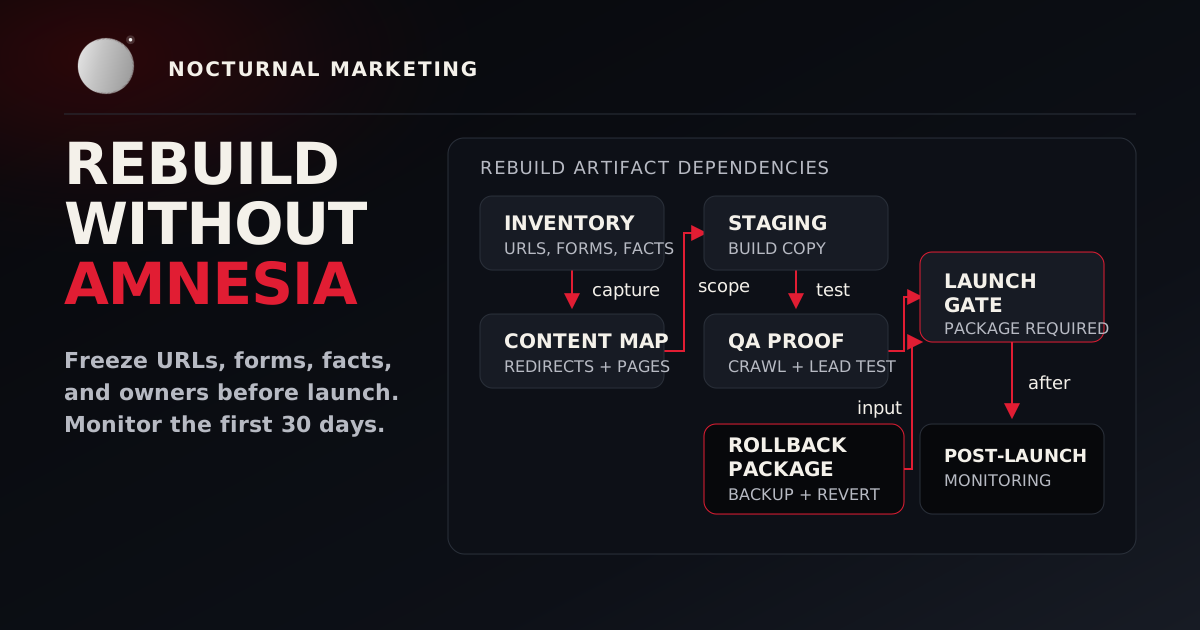
A launch packet should include:
- final URL map;
- redirect test results;
- crawl comparison;
- analytics and conversion verification;
- form-delivery receipt;
- accessibility review and known exceptions;
- performance baseline;
- backup and rollback confirmation;
- DNS and certificate plan;
- owners and escalation contacts; and
- a decision log for known tradeoffs.
The packet is the difference between "the site went live" and "the business can prove what changed."
First 30 days after launch
Day 0 Launch receipt
Days 1 to 7 Daily check
Week 2 Query review
Week 3 Content repair
Week 4 Handoff review
The one-page handoff
At minimum, the team receiving the site needs:
- where it is hosted;
- how it is deployed and rolled back;
- where secrets and backups live;
- who owns the domain, analytics, and integrations;
- how content is updated;
- what alerts exist;
- which limitations are known;
- how redirects and old URLs are monitored; and
- how to request a change safely.
The build is transferred when the next owner can operate it. Sending a password in a chat does not count.
Website rebuild checklist questions
Sources and source notes
- Google Search Central: Site moves and migrations
- Google Search Central: Optimizing your website for generative AI features on Google Search
- W3C: Web Content Accessibility Guidelines 2.2
- W3C WAI: Selecting Web Accessibility Evaluation Tools
- W3C WAI: WCAG-EM Overview
The Google and W3C claims above were checked against official documentation on July 18, 2026. No traffic, ranking, accessibility-conformance, or conversion outcome is guaranteed by this checklist.
Rebuild with proof
Nocturnal Marketing works from baseline to diagnosis, build, proof, and transfer. If your current site needs a focused repair or a rebuild with receipts, bring us the failure you can already see.
Start With the Baseline